
COEX Clover Drone Kit

Clover is an educational programmable drone kit consisting of an unassembled quadcopter, open source software and documentation. The kit includes Pixracer-compatible autopilot running PX4 firmware, Raspberry Pi 4 as companion computer, a camera for computer vision navigation as well as additional sensors and peripheral devices.
The main documentation is available on Gitbook.
Official website: coex.tech/clover.
Video compilation
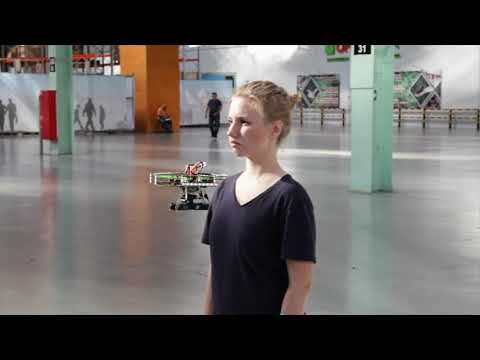
Clover drone is used on a wide range of educational events, including Copter Hack, WorldSkills Drone Operation competition, Autonomous Vehicles Track of NTI Olympics 2016–2020, Quadro Hack 2019 (National University of Science and Technology MISiS), Russian Robot Olympiad (autonomous flights), and others.
Raspberry Pi image
Preconfigured image for Raspberry Pi with installed and configured software, ready to fly, is available in the Releases section.

Image features:
- Raspbian Buster
- ROS Melodic
- Configured networking
- OpenCV
mavros- Periphery drivers for ROS (GPIO, LED strip, etc)
aruco_posepackage for marker-assisted navigationcloverpackage for autonomous drone control
API description (in Russian) for autonomous flights is available on GitBook.
Manual installation
Install ROS Melodic according to the documentation, then create a Catkin workspace.
Clone this repo to directory ~/catkin_ws/src/clover:
cd ~/catkin_ws/src
git clone https://github.com/CopterExpress/clever.git clover
All the required ROS packages (including mavros and opencv) can be installed using rosdep:
cd ~/catkin_ws/
rosdep install -y --from-paths src --ignore-src
Build ROS packages (on memory constrained platforms you might be going to need to use -j1 key):
cd ~/catkin_ws
catkin_make -j1
To complete mavros install you'll need to install geographiclib datasets:
curl https://raw.githubusercontent.com/mavlink/mavros/master/mavros/scripts/install_geographiclib_datasets.sh | sudo bash
You may optionally install udev rules to provide /dev/px4fmu symlink to your PX4-based flight controller connected over USB. Copy 99-px4fmu.rules to your /lib/udev/rules.d folder:
cd ~/catkin_ws/src/clover/clover/config
sudo cp 99-px4fmu.rules /lib/udev/rules.d
Alternatively you may change the fcu_url property in mavros.launch file to point to your flight controller device.
Running
Enable systemd service roscore (if not running):
sudo systemctl enable /home/<username>/catkin_ws/src/clover/builder/assets/roscore.service
sudo systemctl start roscore
To start connection to SITL, use:
roslaunch clover sitl.launch
To start connection to the flight controller, use:
roslaunch clover clvoer.launch
Note that the package is configured to connect to
/dev/px4fmuby default (see previous section). Install udev rules or specify path to your FCU device inmavros.launch.
Also, you can enable and start the systemd service:
sudo systemctl enable /home/<username>/catkin_ws/src/clover/deploy/clover.service
sudo systemctl start clover
License
While the Clover platform source code is available under the MIT License, note, that the documentation is licensed under the Creative Commons Attribution-NonCommercial-ShareAlike 4.0 International License.