Compare commits
11 Commits
v0.20-rc.3
...
new-readme
| Author | SHA1 | Date | |
|---|---|---|---|

|
34560c0b34 | ||
|
|
4bf9f728b1 | ||
|
|
0172d6e892 | ||
|
|
bcb7351a90 | ||
|
|
c71a46ce9d | ||
|
|
91dd7799ef | ||
|
|
3682e253a7 | ||
|
|
66ecbb4d09 | ||
|
|
f041b6125b | ||
|
|
a4f2bab3d7 | ||
|
|
56bcfa5c87 |
24
.travis.yml
@@ -83,18 +83,18 @@ jobs:
|
||||
- ./check_unused_assets.py
|
||||
- gitbook install
|
||||
- gitbook build
|
||||
# deploy:
|
||||
# provider: pages
|
||||
# local_dir: _book
|
||||
# skip_cleanup: true
|
||||
# token: ${GITHUB_OAUTH_TOKEN}
|
||||
# keep_history: true
|
||||
# target_branch: master
|
||||
# repo: CopterExpress/clover.coex.tech
|
||||
# fqdn: clover.coex.tech
|
||||
# verbose: true
|
||||
# on:
|
||||
# branch: master
|
||||
deploy:
|
||||
provider: pages
|
||||
local_dir: _book
|
||||
skip_cleanup: true
|
||||
token: ${GITHUB_OAUTH_TOKEN}
|
||||
keep_history: true
|
||||
target_branch: master
|
||||
repo: CopterExpress/clover.coex.tech
|
||||
fqdn: clover.coex.tech
|
||||
verbose: true
|
||||
on:
|
||||
branch: master
|
||||
- stage: Annotate
|
||||
name: Auto-generate changelog
|
||||
language: python
|
||||
|
||||
169
README.md
@@ -1,40 +1,173 @@
|
||||
# COEX Clover Drone Kit
|
||||
|
||||
<img src="docs/assets/clever4-front-white.png" align="right" width="400px" alt="Clover Drone">
|
||||
<table align=center>
|
||||
<tr>
|
||||
<td align=center><a href="https://px4.io"><img src="docs/assets/px4.svg" height=60></a></td>
|
||||
<td align=center><a href="https://www.raspberrypi.org"><img src="docs/assets/rpi.svg" height=60></a></td>
|
||||
<td align=center><a href="https://www.ros.org"><img src="docs/assets/ros.svg" height=60></a></td>
|
||||
</tr>
|
||||
</table>
|
||||
|
||||
Clover is an educational programmable drone kit consisting of an unassembled quadcopter, open source software and documentation. The kit includes Pixracer-compatible autopilot running PX4 firmware, Raspberry Pi 4 as companion computer, a camera for computer vision navigation as well as additional sensors and peripheral devices.
|
||||
This repository contains documentation, software platform source code and RPi image builder for COEX Clover drone kit.
|
||||
|
||||
The main documentation is available [on Gitbook](https://clover.coex.tech/).
|
||||
<img src="docs/assets/clover42.png" align="right" width="400px" alt="COEX Clover">
|
||||
|
||||
Official website: <a href="https://coex.tech/clover">coex.tech/clover</a>.
|
||||
Clover is a [PX4](https://px4.io)- and [ROS](https://www.ros.org)-powered educational programmable drone kit consisting of an unassembled quadcopter, open source software and documentation. The kit includes Pixracer-compatible autopilot, Raspberry Pi 4 as companion computer, a camera for computer vision navigation as well as additional sensors and peripheral devices.
|
||||
|
||||
## Video compilation
|
||||
The main documentation is available at [https://clover.coex.tech](https://clover.coex.tech/). Official website: <a href="https://coex.tech/clover">coex.tech/clover</a>.
|
||||
|
||||
## Autonomous flights video
|
||||
|
||||
[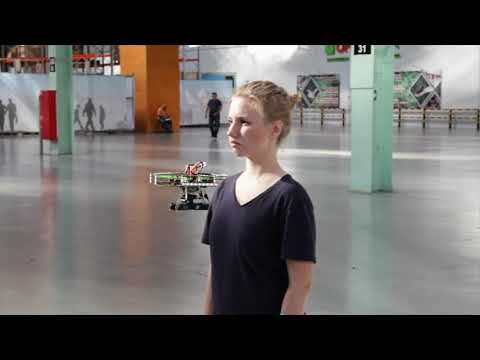](https://youtu.be/u3omgsYC4Fk)
|
||||
|
||||
Clover drone is used on a wide range of educational events, including [Copter Hack](https://www.youtube.com/watch?v=xgXheg3TTs4), WorldSkills Drone Operation competition, [Autonomous Vehicles Track of NTI Olympics 2016–2020](https://www.youtube.com/watch?v=E1_ehvJRKxg), Quadro Hack 2019 (National University of Science and Technology MISiS), Russian Robot Olympiad (autonomous flights), and others.
|
||||
|
||||
## Raspberry Pi image
|
||||
## Features
|
||||
|
||||
Preconfigured image for Raspberry Pi with installed and configured software, ready to fly, is available [in the Releases section](https://github.com/CopterExpress/clover/releases).
|
||||
### Prebuilt RPi image
|
||||
|
||||
[](https://travis-ci.org/CopterExpress/clover)
|
||||
...
|
||||
|
||||
Image features:
|
||||
### Common robotics software
|
||||
|
||||
* Raspbian Buster
|
||||
* [ROS Melodic](http://wiki.ros.org/melodic)
|
||||
* Configured networking
|
||||
* OpenCV
|
||||
* [`mavros`](http://wiki.ros.org/mavros)
|
||||
* Periphery drivers for ROS ([GPIO](https://clover.coex.tech/en/gpio.html), [LED strip](https://clover.coex.tech/en/leds.html), etc)
|
||||
* `aruco_pose` package for marker-assisted navigation
|
||||
* `clover` package for autonomous drone control
|
||||
Prebuilt image for Raspberry Pi includes:
|
||||
|
||||
API description for autonomous flights is available [on GitBook](https://clover.coex.tech/en/simple_offboard.html).
|
||||
|Software|Description|
|
||||
|-|-|
|
||||
|Raspbian Buster||
|
||||
|[ROS Melodic](http://wiki.ros.org/melodic)|Common robotics framework|
|
||||
|[OpenCV](https://opencv.org)|Computer vision library|
|
||||
|[`mavros`](http://wiki.ros.org/mavros)|ROS package for communication with the flight controller|
|
||||
|Configured networking||
|
||||
|Periphery drivers for ROS ([GPIO](https://clover.coex.tech/en/gpio.html), [LED strip](https://clover.coex.tech/en/leds.html), etc)||
|
||||
|`clover`|package for autonomous drone control|
|
||||
|`aruco_pose`|Package for marker-assisted navigation|
|
||||
|
||||
### QGroundControl Wi-Fi bridge
|
||||
|
||||
...
|
||||
|
||||
### Easy autonomous flights programming
|
||||
|
||||
By using `clover` package, taking off, navigating and landing is just:
|
||||
|
||||
```python
|
||||
navigate(x=0, y=0, z=1, frame_id='body', auto_arm=True) # takeoff and hover 1 m above the ground
|
||||
```
|
||||
|
||||
```python
|
||||
navigate(x=1, y=0, z=0, frame_id='body') # fly forward 1 m
|
||||
```
|
||||
|
||||
```
|
||||
land()
|
||||
```
|
||||
|
||||
See [programming documentation](https://clover.coex.tech) for further information.
|
||||
|
||||
### Optical flow positioning
|
||||
|
||||
<img src="docs/assets/optical-flow.gif">
|
||||
|
||||
RPi based optical flow....
|
||||
|
||||
See [details](https://clover.coex.tech/en/optical_flow.html) in the documentation.
|
||||
|
||||
### ArUco markers recognizing
|
||||
|
||||
<img src="docs/assets/aruco.gif">
|
||||
|
||||
...
|
||||
|
||||
See [details](https://clover.coex.tech/en/aruco.html) in the documentation.
|
||||
|
||||
### Easy working with peripheral devices
|
||||
|
||||
Preinstalled package for the [LED strip](https://clover.coex.tech/en/leds.html) allows high-level control (such as rainbow effect or color fade) as well as individual LED low-level control:
|
||||
|
||||
```python
|
||||
set_effect(r=0, g=100, b=0) # fill strip with green color
|
||||
```
|
||||
|
||||
```python
|
||||
set_effect(effect='fade', r=0, g=0, b=255) # fade to blue color
|
||||
```
|
||||
|
||||
```python
|
||||
set_effect(effect='rainbow') # show rainbow
|
||||
```
|
||||
|
||||
Preinstalled [VL53L1X rangefinder driver](https://clover.coex.tech/en/laser.html) passes data to the flight controller automatically and allows the user to get its data:
|
||||
|
||||
```python
|
||||
data = rospy.wait_for_message('rangefinder/range', Range) # get data from the rangefinder
|
||||
```
|
||||
|
||||
Preinstalled fast Python [GPIO library](https://clover.coex.tech/en/gpio.html).
|
||||
|
||||
```python
|
||||
pi.write(11, 1) # set signal of pin 11 to high
|
||||
```
|
||||
|
||||
```python
|
||||
level = pi.read(12) # read the state of pin 12
|
||||
```
|
||||
|
||||
### Simulator
|
||||
|
||||
<img src="docs/assets/simulator.jpg" width=400 align=center>
|
||||
|
||||
Clover repository includes three simulation-related repository for Gazebo-based simulation.
|
||||
|
||||
Screenshot...
|
||||
|
||||
See details in the [documentation](https://clover.coex.tech/en/simulation.html). The simulation environment also available as a virtual machine image.
|
||||
|
||||
### Remote control apps
|
||||
|
||||
<table>
|
||||
<tr>
|
||||
<td>
|
||||
<a href="https://itunes.apple.com/ru/app/clever-rc/id1396166572?mt=8">
|
||||
<img src="docs/assets/appstore.svg" height=40>
|
||||
</a>
|
||||
</td>
|
||||
<td>
|
||||
<a href="https://play.google.com/store/apps/details?id=express.copter.cleverrc">
|
||||
<img src="docs/assets/google_play.png" height=40>
|
||||
</a>
|
||||
</td>
|
||||
</tr>
|
||||
</table>
|
||||
|
||||
<!-- <a href="https://itunes.apple.com/ru/app/clever-rc/id1396166572?mt=8"><img src="docs/assets/appstore.svg"></a><a href="https://play.google.com/store/apps/details?id=express.copter.cleverrc"><img src="docs/assets/google_play.png" width="15%"></a> -->
|
||||
|
||||
### Community
|
||||
|
||||
<img src="docs/assets/community/collage.jpg" width=400 align=center>
|
||||
|
||||
Clover is widely used ...
|
||||
|
||||
[Telegram chat](tg://resolve?domain=COEXHelpdesk)...
|
||||
|
||||
### Free and open source
|
||||
|
||||
The Clover software bundle is free, open source, and compatible with any PX4/ROS-based drone.
|
||||
|
||||
## Manual installation
|
||||
|
||||
For manual package installation and running see [`clover` package documentation](clover/README.md).
|
||||
|
||||
## PX4 Dev Summit 2019 talk
|
||||
|
||||
[](http://www.youtube.com/watch?v=CTG9E9PbJQ8)
|
||||
|
||||
## Other resources
|
||||
|
||||
* Official documentation: [https://clover.coex.tech](https://clover.coex.tech).
|
||||
* ROS Wiki page: [https://wiki.ros.org/Robots/clover](https://wiki.ros.org/Robots/clover).
|
||||
* ROS Robots page: [https://robots.ros.org/clover](https://robots.ros.org/clover).
|
||||
|
||||
## License
|
||||
|
||||
While the Clover platform source code is available under the MIT License, note, that the [documentation](docs/) is licensed under the Creative Commons Attribution-NonCommercial-ShareAlike 4.0 International License.
|
||||
|
||||
0
apps/CATKIN_IGNORE
Normal file
34
builder/assets/avahi-services/sftp-ssh.service
Normal file
@@ -0,0 +1,34 @@
|
||||
<?xml version="1.0" standalone='no'?><!--*-nxml-*-->
|
||||
<!DOCTYPE service-group SYSTEM "avahi-service.dtd">
|
||||
|
||||
<!--
|
||||
This file is part of avahi.
|
||||
|
||||
avahi is free software; you can redistribute it and/or modify it
|
||||
under the terms of the GNU Lesser General Public License as
|
||||
published by the Free Software Foundation; either version 2 of the
|
||||
License, or (at your option) any later version.
|
||||
|
||||
avahi is distributed in the hope that it will be useful, but
|
||||
WITHOUT ANY WARRANTY; without even the implied warranty of
|
||||
MERCHANTABILITY or FITNESS FOR A PARTICULAR PURPOSE. See the GNU
|
||||
General Public License for more details.
|
||||
|
||||
You should have received a copy of the GNU Lesser General Public
|
||||
License along with avahi; if not, write to the Free Software
|
||||
Foundation, Inc., 59 Temple Place, Suite 330, Boston, MA
|
||||
02111-1307 USA.
|
||||
-->
|
||||
|
||||
<!-- See avahi.service(5) for more information about this configuration file -->
|
||||
|
||||
<service-group>
|
||||
|
||||
<name replace-wildcards="yes">%h</name>
|
||||
|
||||
<service>
|
||||
<type>_sftp-ssh._tcp</type>
|
||||
<port>22</port>
|
||||
</service>
|
||||
|
||||
</service-group>
|
||||
@@ -20,7 +20,7 @@
|
||||
# Example:
|
||||
# DocumentRoot /home/krypton/htdocs
|
||||
|
||||
DocumentRoot /home/pi/catkin_ws/src/clover/clover/www
|
||||
DocumentRoot /home/pi/.ros/www
|
||||
|
||||
# Redirect:
|
||||
# ---------
|
||||
|
||||
@@ -108,6 +108,8 @@ ${BUILDER_DIR}/image-chroot.sh ${IMAGE_PATH} exec ${SCRIPTS_DIR}'/image-software
|
||||
${BUILDER_DIR}/image-chroot.sh ${IMAGE_PATH} copy ${SCRIPTS_DIR}'/assets/examples' '/home/pi/'
|
||||
# network setup
|
||||
${BUILDER_DIR}/image-chroot.sh ${IMAGE_PATH} exec ${SCRIPTS_DIR}'/image-network.sh'
|
||||
# avahi setup
|
||||
${BUILDER_DIR}/image-chroot.sh ${IMAGE_PATH} copy ${SCRIPTS_DIR}'/assets/avahi-services/sftp-ssh.service' '/etc/avahi/services'
|
||||
|
||||
# If RPi then use a one thread to build a ROS package on RPi, else use all
|
||||
[[ $(arch) == 'armv7l' ]] && NUMBER_THREADS=1 || NUMBER_THREADS=$(nproc --all)
|
||||
|
||||
@@ -143,7 +143,6 @@ echo_stamp "Setup ROS environment"
|
||||
cat << EOF >> /home/pi/.bashrc
|
||||
LANG='C.UTF-8'
|
||||
LC_ALL='C.UTF-8'
|
||||
ROS_DISTRO='melodic'
|
||||
export ROS_HOSTNAME=\`hostname\`.local
|
||||
source /opt/ros/melodic/setup.bash
|
||||
source /home/pi/catkin_ws/devel/setup.bash
|
||||
|
||||
@@ -82,4 +82,9 @@
|
||||
|
||||
<!-- Shell access through ROS service -->
|
||||
<node name="shell" pkg="clover" type="shell" output="screen" if="$(arg shell)"/>
|
||||
|
||||
<!-- Update static directory -->
|
||||
<node pkg="roswww_static" name="roswww_static" type="main.py" clear_params="true">
|
||||
<param name="default_package" value="clover"/>
|
||||
</node>
|
||||
</launch>
|
||||
|
||||
@@ -701,7 +701,7 @@ def check_preflight_status():
|
||||
|
||||
@check('Network')
|
||||
def check_network():
|
||||
ros_hostname = os.environ.get('ROS_HOSTNAME').strip()
|
||||
ros_hostname = os.environ.get('ROS_HOSTNAME', '').strip()
|
||||
|
||||
if not ros_hostname:
|
||||
failure('no ROS_HOSTNAME is set')
|
||||
|
||||
0
clover/www/CATKIN_IGNORE
Normal file
@@ -12,8 +12,8 @@
|
||||
|
||||
<script src="js/roslib.js"></script>
|
||||
<script type="text/javascript">
|
||||
document.querySelector("#wvs").href = location.origin + ':8080';
|
||||
document.querySelector("#butterfly").href = location.origin + ':57575';
|
||||
document.querySelector("#wvs").href = location.protocol + '//' + location.hostname + ':8080';
|
||||
document.querySelector("#butterfly").href = location.protocol + '//' + location.hostname + ':57575';
|
||||
|
||||
// Determine image version
|
||||
var ros = new ROSLIB.Ros({ url: 'ws://' + location.hostname + ':9090' });
|
||||
|
||||
0
docs/CATKIN_IGNORE
Normal file
BIN
docs/assets/aruco.gif
Normal file

|
After Width: | Height: | Size: 2.1 MiB |
BIN
docs/assets/clover.png
Normal file

|
After Width: | Height: | Size: 614 KiB |
BIN
docs/assets/clover42.png
Normal file

|
After Width: | Height: | Size: 2.2 MiB |
BIN
docs/assets/community/collage.jpg
Normal file

|
After Width: | Height: | Size: 2.3 MiB |
BIN
docs/assets/optical-flow.gif
Normal file

|
After Width: | Height: | Size: 3.5 MiB |
1
docs/assets/px4.svg
Normal file

|
After Width: | Height: | Size: 13 KiB |
134
docs/assets/ros.svg
Normal file

@@ -0,0 +1,134 @@
|
||||
<?xml version="1.0" encoding="UTF-8" standalone="no"?>
|
||||
<svg
|
||||
xmlns:dc="http://purl.org/dc/elements/1.1/"
|
||||
xmlns:cc="http://creativecommons.org/ns#"
|
||||
xmlns:rdf="http://www.w3.org/1999/02/22-rdf-syntax-ns#"
|
||||
xmlns:svg="http://www.w3.org/2000/svg"
|
||||
xmlns="http://www.w3.org/2000/svg"
|
||||
id="svg2"
|
||||
version="1.1"
|
||||
viewBox="0 0 387 103"
|
||||
height="103pt"
|
||||
width="387pt">
|
||||
<metadata
|
||||
id="metadata58">
|
||||
<rdf:RDF>
|
||||
<cc:Work
|
||||
rdf:about="">
|
||||
<dc:format>image/svg+xml</dc:format>
|
||||
<dc:type
|
||||
rdf:resource="http://purl.org/dc/dcmitype/StillImage" />
|
||||
<dc:title></dc:title>
|
||||
</cc:Work>
|
||||
</rdf:RDF>
|
||||
</metadata>
|
||||
<defs
|
||||
id="defs4">
|
||||
<clipPath
|
||||
id="clip1">
|
||||
<path
|
||||
id="path7"
|
||||
d="M 0.0585938 2 L 22 2 L 22 25 L 0.0585938 25 Z M 0.0585938 2 " />
|
||||
</clipPath>
|
||||
<clipPath
|
||||
id="clip2">
|
||||
<path
|
||||
id="path10"
|
||||
d="M 0.0585938 40 L 22 40 L 22 64 L 0.0585938 64 Z M 0.0585938 40 " />
|
||||
</clipPath>
|
||||
<clipPath
|
||||
id="clip3">
|
||||
<path
|
||||
id="path13"
|
||||
d="M 0.0585938 79 L 22 79 L 22 102 L 0.0585938 102 Z M 0.0585938 79 " />
|
||||
</clipPath>
|
||||
<clipPath
|
||||
id="clip4">
|
||||
<path
|
||||
id="path16"
|
||||
d="M 220 0.894531 L 302 0.894531 L 302 102.941406 L 220 102.941406 Z M 220 0.894531 " />
|
||||
</clipPath>
|
||||
<clipPath
|
||||
id="clip5">
|
||||
<path
|
||||
id="path19"
|
||||
d="M 316 0.894531 L 386.050781 0.894531 L 386.050781 102.941406 L 316 102.941406 Z M 316 0.894531 " />
|
||||
</clipPath>
|
||||
</defs>
|
||||
<g
|
||||
id="surface839">
|
||||
<g
|
||||
id="g22"
|
||||
clip-rule="nonzero"
|
||||
clip-path="url(#clip1)">
|
||||
<path
|
||||
id="path24"
|
||||
d="M 21.839844 13.492188 C 21.839844 19.722656 16.949219 24.777344 10.921875 24.777344 C 4.890625 24.777344 0 19.722656 0 13.492188 C 0 7.257812 4.890625 2.207031 10.921875 2.207031 C 16.949219 2.207031 21.839844 7.257812 21.839844 13.492188 "
|
||||
style=" stroke:none;fill-rule:nonzero;fill:rgb(13.618469%,18.034363%,29.017639%);fill-opacity:1;" />
|
||||
</g>
|
||||
<g
|
||||
id="g26"
|
||||
clip-rule="nonzero"
|
||||
clip-path="url(#clip2)">
|
||||
<path
|
||||
id="path28"
|
||||
d="M 21.839844 51.949219 C 21.839844 58.179688 16.949219 63.234375 10.921875 63.234375 C 4.890625 63.234375 0 58.179688 0 51.949219 C 0 45.714844 4.890625 40.664062 10.921875 40.664062 C 16.949219 40.664062 21.839844 45.714844 21.839844 51.949219 "
|
||||
style=" stroke:none;fill-rule:nonzero;fill:rgb(13.618469%,18.034363%,29.017639%);fill-opacity:1;" />
|
||||
</g>
|
||||
<g
|
||||
id="g30"
|
||||
clip-rule="nonzero"
|
||||
clip-path="url(#clip3)">
|
||||
<path
|
||||
id="path32"
|
||||
d="M 21.839844 90.40625 C 21.839844 96.636719 16.949219 101.691406 10.921875 101.691406 C 4.890625 101.691406 0 96.636719 0 90.40625 C 0 84.175781 4.890625 79.121094 10.921875 79.121094 C 16.949219 79.121094 21.839844 84.175781 21.839844 90.40625 "
|
||||
style=" stroke:none;fill-rule:nonzero;fill:rgb(13.618469%,18.034363%,29.017639%);fill-opacity:1;" />
|
||||
</g>
|
||||
<path
|
||||
id="path34"
|
||||
d="M 59.945312 51.949219 C 59.945312 58.179688 55.058594 63.234375 49.027344 63.234375 C 42.996094 63.234375 38.105469 58.179688 38.105469 51.949219 C 38.105469 45.714844 42.996094 40.664062 49.027344 40.664062 C 55.058594 40.664062 59.945312 45.714844 59.945312 51.949219 "
|
||||
style=" stroke:none;fill-rule:nonzero;fill:rgb(13.618469%,18.034363%,29.017639%);fill-opacity:1;" />
|
||||
<path
|
||||
id="path36"
|
||||
d="M 59.945312 13.492188 C 59.945312 19.722656 55.058594 24.777344 49.027344 24.777344 C 42.996094 24.777344 38.105469 19.722656 38.105469 13.492188 C 38.105469 7.257812 42.996094 2.207031 49.027344 2.207031 C 55.058594 2.207031 59.945312 7.257812 59.945312 13.492188 "
|
||||
style=" stroke:none;fill-rule:nonzero;fill:rgb(13.618469%,18.034363%,29.017639%);fill-opacity:1;" />
|
||||
<path
|
||||
id="path38"
|
||||
d="M 98.054688 51.949219 C 98.054688 58.179688 93.164062 63.234375 87.132812 63.234375 C 81.101562 63.234375 76.214844 58.179688 76.214844 51.949219 C 76.214844 45.714844 81.101562 40.664062 87.132812 40.664062 C 93.164062 40.664062 98.054688 45.714844 98.054688 51.949219 "
|
||||
style=" stroke:none;fill-rule:nonzero;fill:rgb(13.618469%,18.034363%,29.017639%);fill-opacity:1;" />
|
||||
<path
|
||||
id="path40"
|
||||
d="M 98.054688 13.492188 C 98.054688 19.722656 93.164062 24.777344 87.132812 24.777344 C 81.101562 24.777344 76.214844 19.722656 76.214844 13.492188 C 76.214844 7.257812 81.101562 2.207031 87.132812 2.207031 C 93.164062 2.207031 98.054688 7.257812 98.054688 13.492188 "
|
||||
style=" stroke:none;fill-rule:nonzero;fill:rgb(13.618469%,18.034363%,29.017639%);fill-opacity:1;" />
|
||||
<path
|
||||
id="path42"
|
||||
d="M 98.054688 90.40625 C 98.054688 96.636719 93.164062 101.691406 87.132812 101.691406 C 81.101562 101.691406 76.214844 96.636719 76.214844 90.40625 C 76.214844 84.175781 81.101562 79.121094 87.132812 79.121094 C 93.164062 79.121094 98.054688 84.175781 98.054688 90.40625 "
|
||||
style=" stroke:none;fill-rule:nonzero;fill:rgb(13.618469%,18.034363%,29.017639%);fill-opacity:1;" />
|
||||
<path
|
||||
id="path44"
|
||||
d="M 59.945312 90.40625 C 59.945312 96.636719 55.058594 101.691406 49.027344 101.691406 C 42.996094 101.691406 38.105469 96.636719 38.105469 90.40625 C 38.105469 84.175781 42.996094 79.121094 49.027344 79.121094 C 55.058594 79.121094 59.945312 84.175781 59.945312 90.40625 "
|
||||
style=" stroke:none;fill-rule:nonzero;fill:rgb(13.618469%,18.034363%,29.017639%);fill-opacity:1;" />
|
||||
<path
|
||||
id="path46"
|
||||
d="M 171.613281 16.453125 L 143.695312 16.453125 L 143.695312 48.269531 L 171.613281 48.269531 C 181.191406 48.269531 187.894531 43.179688 187.894531 32.433594 C 187.894531 22.109375 181.328125 16.453125 171.613281 16.453125 Z M 181.328125 61 L 200.894531 101.445312 L 184.339844 101.445312 L 165.316406 62.273438 L 143.695312 62.273438 L 143.695312 101.445312 L 129.601562 101.445312 L 129.601562 2.449219 L 171.613281 2.449219 C 188.308594 2.449219 202.402344 11.644531 202.402344 32.007812 C 202.402344 47.847656 194.328125 57.605469 181.328125 61 "
|
||||
style=" stroke:none;fill-rule:nonzero;fill:rgb(13.618469%,18.034363%,29.017639%);fill-opacity:1;" />
|
||||
<g
|
||||
id="g48"
|
||||
clip-rule="nonzero"
|
||||
clip-path="url(#clip4)">
|
||||
<path
|
||||
id="path50"
|
||||
d="M 260.5625 15.746094 C 243.867188 15.746094 234.699219 29.746094 234.699219 51.949219 C 234.699219 74.152344 243.867188 88.152344 260.5625 88.152344 C 277.394531 88.152344 286.5625 74.152344 286.5625 51.949219 C 286.5625 29.746094 277.394531 15.746094 260.5625 15.746094 Z M 260.5625 103 C 235.796875 103 220.058594 81.929688 220.058594 51.949219 C 220.058594 21.96875 235.796875 0.894531 260.5625 0.894531 C 285.46875 0.894531 301.203125 21.96875 301.203125 51.949219 C 301.203125 81.929688 285.46875 103 260.5625 103 "
|
||||
style=" stroke:none;fill-rule:nonzero;fill:rgb(13.618469%,18.034363%,29.017639%);fill-opacity:1;" />
|
||||
</g>
|
||||
<g
|
||||
id="g52"
|
||||
clip-rule="nonzero"
|
||||
clip-path="url(#clip5)">
|
||||
<path
|
||||
id="path54"
|
||||
d="M 350.609375 103 C 336.648438 103 324.609375 96.777344 316.535156 87.019531 L 326.796875 76.695312 C 333.230469 83.910156 342.671875 88.433594 351.703125 88.433594 C 365.113281 88.433594 371.542969 83.625 371.542969 74.007812 C 371.542969 66.371094 365.933594 62.554688 349.921875 57.605469 C 329.671875 51.382812 319.957031 46.148438 319.957031 28.472656 C 319.957031 11.359375 333.914062 0.894531 351.566406 0.894531 C 364.566406 0.894531 374.417969 5.847656 382.902344 14.332031 L 372.777344 24.9375 C 366.753906 18.574219 359.914062 15.460938 350.472656 15.460938 C 339.25 15.460938 334.460938 21.117188 334.460938 27.765625 C 334.460938 34.695312 338.839844 38.089844 355.398438 43.179688 C 374.28125 49.121094 386.050781 55.34375 386.050781 73.019531 C 386.050781 90.839844 375.101562 103 350.609375 103 "
|
||||
style=" stroke:none;fill-rule:nonzero;fill:rgb(13.618469%,18.034363%,29.017639%);fill-opacity:1;" />
|
||||
</g>
|
||||
</g>
|
||||
</svg>
|
||||
|
After Width: | Height: | Size: 7.9 KiB |
69
docs/assets/rpi.svg
Normal file

@@ -0,0 +1,69 @@
|
||||
<?xml version="1.0" encoding="UTF-8" standalone="no"?>
|
||||
<svg
|
||||
xmlns:dc="http://purl.org/dc/elements/1.1/"
|
||||
xmlns:cc="http://creativecommons.org/ns#"
|
||||
xmlns:rdf="http://www.w3.org/1999/02/22-rdf-syntax-ns#"
|
||||
xmlns:svg="http://www.w3.org/2000/svg"
|
||||
xmlns="http://www.w3.org/2000/svg"
|
||||
viewBox="0 0 656.47998 825.76001"
|
||||
height="825.76001"
|
||||
width="656.47998"
|
||||
xml:space="preserve"
|
||||
id="svg2"
|
||||
version="1.1"><metadata
|
||||
id="metadata8"><rdf:RDF><cc:Work
|
||||
rdf:about=""><dc:format>image/svg+xml</dc:format><dc:type
|
||||
rdf:resource="http://purl.org/dc/dcmitype/StillImage" /></cc:Work></rdf:RDF></metadata><defs
|
||||
id="defs6" /><g
|
||||
transform="matrix(1.3333333,0,0,-1.3333333,0,825.76)"
|
||||
id="g10"><g
|
||||
transform="scale(0.1)"
|
||||
id="g12"><path
|
||||
id="path14"
|
||||
style="fill:#040606;fill-opacity:1;fill-rule:nonzero;stroke:none"
|
||||
d="m 1332.8,6193.06 c -31.79,-0.96 -66.04,-12.52 -104.87,-42.73 -95.16,36.15 -187.4,48.71 -269.879,-24.86 -127.371,16.28 -168.774,-17.31 -200.141,-56.51 -27.953,0.57 -209.25,28.3 -292.375,-93.84 -208.914,24.34 -274.953,-121.05 -200.14,-256.61 -42.661,-65.07 -86.86,-129.35 12.902,-253.37 -35.285,-69.08 -13.41,-144.01 69.746,-234.72 -21.949,-97.11 21.199,-165.62 98.555,-219.02 -14.481,-132.88 123.715,-210.15 164.984,-237.69 15.836,-77.42 48.871,-150.5 206.723,-190.89 26.019,-115.41 120.89,-135.33 212.755,-159.55 C 727.426,4249.43 467.074,4020.7 468.832,3459.5 L 424.34,3381.35 C 76.2109,3172.81 -237.016,2502.55 252.781,1957.78 284.773,1787.23 338.43,1664.75 386.207,1529.2 457.668,982.91 924.004,727.121 1047.01,696.859 1227.25,561.641 1419.2,433.332 1678.97,343.441 1923.85,94.6914 2189.13,-0.121094 2455.89,0.03125 c 3.91,0 7.89,-0.0507813 11.8,0 266.75,-0.160156 532.05,94.64065 776.91,343.40975 259.78,89.891 451.74,218.2 631.98,353.418 123,30.262 589.33,286.051 660.79,832.341 47.77,135.55 101.44,258.03 133.42,428.58 489.81,544.82 176.59,1215.13 -171.57,1423.67 l -44.53,78.13 c 1.76,561.15 -258.63,789.88 -562.24,963.77 91.87,24.21 186.73,44.14 212.76,159.53 157.86,40.42 190.88,113.49 206.71,190.91 41.28,27.52 179.47,104.8 164.99,237.7 77.36,53.39 120.5,121.91 98.57,219.01 83.14,90.7 105.03,165.63 69.73,234.71 99.8,123.99 55.51,188.26 12.91,253.33 74.75,135.56 8.79,280.94 -200.21,256.59 -83.11,122.15 -264.34,94.41 -292.36,93.85 -31.37,39.2 -72.74,72.79 -200.12,56.51 -82.48,73.57 -174.73,61.01 -269.87,24.87 -112.99,87.81 -187.74,17.43 -273.13,-9.18 -136.77,44.02 -168.05,-16.29 -235.24,-40.84 -149.18,31.05 -194.51,-36.54 -266.03,-107.9 l -83.19,1.62 c -224.98,-130.58 -336.74,-396.52 -376.36,-533.23 -39.64,136.74 -151.17,402.67 -376.1,533.23 l -83.18,-1.62 c -71.6,71.36 -116.94,138.95 -266.1,107.9 -67.2,24.55 -98.38,84.86 -235.25,40.84 -56.05,17.46 -107.61,53.77 -168.29,51.92 l 0.11,-0.04" /><path
|
||||
id="path16"
|
||||
style="fill:#63c54d;fill-opacity:1;fill-rule:nonzero;stroke:none"
|
||||
d="m 889.32,5618.51 c 596.92,-303.11 943.94,-548.33 1134.04,-757.16 -97.35,-384.36 -605.24,-401.9 -790.94,-391.11 38.01,17.43 69.74,38.32 80.99,70.4 -46.59,32.6 -211.83,3.44 -327.176,67.27 44.296,9.05 65.036,17.84 85.746,50.06 -108.968,34.23 -226.367,63.74 -295.402,120.46 37.266,-0.47 72.035,-8.21 120.707,25.03 -97.629,51.82 -201.781,92.87 -282.707,172.08 50.457,1.2 104.875,0.5 120.695,18.77 -89.335,54.51 -164.726,115.15 -227.128,181.47 70.644,-8.4 100.464,-1.17 117.546,10.95 -67.539,68.12 -153.023,125.66 -193.773,209.63 52.445,-17.81 100.422,-24.63 135.016,1.56 -22.957,51.01 -121.286,81.08 -177.903,200.24 55.223,-5.26 113.774,-11.85 125.489,0 -25.637,102.83 -69.598,160.66 -112.727,220.55 118.152,1.72 297.172,-0.46 289.066,9.39 l -73.05,73.53 c 115.406,30.6 233.496,-4.92 319.238,-31.3 38.488,29.92 -0.684,67.76 -47.652,106.4 98.089,-12.92 186.715,-35.13 266.815,-65.73 42.82,38.08 -27.77,76.15 -61.94,114.21 151.54,-28.32 215.75,-68.1 279.54,-107.95 46.3,43.71 2.65,80.85 -28.59,118.89 114.26,-41.68 173.12,-95.49 235.07,-148.61 21.01,27.92 53.37,48.39 14.3,115.77 81.11,-46.06 142.2,-100.33 187.42,-161.13 50.19,31.47 29.9,74.53 30.17,114.2 84.3,-67.56 137.81,-139.44 203.31,-209.63 13.18,9.45 24.74,41.55 34.93,92.3 201.12,-192.2 485.32,-676.3 73.06,-868.24 -350.87,285.03 -769.91,492.21 -1234.281,647.62 l 0.121,0.08" /><path
|
||||
id="path18"
|
||||
style="fill:#63c54d;fill-opacity:1;fill-rule:nonzero;stroke:none"
|
||||
d="m 4050.89,5618.51 c -596.87,-303.16 -943.87,-548.29 -1133.98,-757.16 97.36,-384.36 605.26,-401.9 790.96,-391.11 -38.03,17.43 -69.74,38.32 -80.99,70.4 46.6,32.6 211.83,3.44 327.18,67.27 -44.3,9.05 -65.04,17.84 -85.76,50.06 108.99,34.23 226.38,63.74 295.42,120.46 -37.26,-0.47 -72.06,-8.21 -120.71,25.03 97.61,51.82 201.78,92.87 282.7,172.08 -50.47,1.2 -104.87,0.5 -120.71,18.77 89.37,54.51 164.75,115.15 227.14,181.47 -70.63,-8.4 -100.45,-1.17 -117.54,10.95 67.55,68.12 153.02,125.66 193.78,209.63 -52.44,-17.81 -100.42,-24.63 -135.01,1.56 22.95,51.01 121.27,81.08 177.88,200.24 -55.21,-5.26 -113.75,-11.85 -125.47,0 25.67,102.88 69.65,160.7 112.76,220.6 -118.16,1.72 -297.16,-0.46 -289.08,9.38 l 73.09,73.52 c -115.43,30.61 -233.52,-4.9 -319.26,-31.28 -38.48,29.92 0.68,67.76 47.64,106.37 -98.08,-12.89 -186.71,-35.1 -266.82,-65.7 -42.8,38.06 27.79,76.13 61.94,114.2 -151.53,-28.32 -215.73,-68.11 -279.54,-107.94 -46.29,43.7 -2.63,80.85 28.6,118.88 -114.26,-41.67 -173.12,-95.48 -235.06,-148.6 -21.01,27.92 -53.36,48.38 -14.3,115.77 -81.13,-46.07 -142.21,-100.34 -187.41,-161.14 -50.2,31.48 -29.91,74.53 -30.19,114.19 -84.3,-67.54 -137.82,-139.43 -203.29,-209.62 -13.19,9.46 -24.74,41.56 -34.95,92.3 -201.13,-192.2 -485.34,-676.3 -73.05,-868.24 350.68,285.09 769.69,492.26 1234.1,647.66 h -0.07" /><path
|
||||
id="path20"
|
||||
style="fill:#c51850;fill-opacity:1;fill-rule:nonzero;stroke:none"
|
||||
d="m 3192,1704.72 c 2.08,-358.64 -316.36,-650.93 -711.23,-652.82 -394.87,-1.89 -716.68,287.32 -718.76,645.98 0,2.28 0,4.56 0,6.84 -2.07,358.66 316.35,650.95 711.24,652.83 394.87,1.89 716.68,-287.31 718.75,-645.98 0.01,-2.29 0.01,-4.56 0,-6.85" /><path
|
||||
id="path22"
|
||||
style="fill:#c51850;fill-opacity:1;fill-rule:nonzero;stroke:none"
|
||||
d="m 2077.17,3559.87 c 296.27,-191.17 349.68,-624.54 119.3,-967.92 -230.38,-343.39 -657.31,-466.8 -953.56,-275.62 v 0 c -296.265,191.19 -349.68,624.56 -119.29,967.96 230.38,343.38 657.3,466.78 953.55,275.58 v 0" /><path
|
||||
id="path24"
|
||||
style="fill:#c51850;fill-opacity:1;fill-rule:nonzero;stroke:none"
|
||||
d="m 2876.82,3594.49 c -296.27,-191.18 -349.67,-624.56 -119.29,-967.93 230.39,-343.39 657.3,-466.8 953.56,-275.61 v 0 c 296.27,191.18 349.68,624.55 119.3,967.95 -230.38,343.39 -657.3,466.78 -953.57,275.59 v 0" /><path
|
||||
id="path26"
|
||||
style="fill:#c51850;fill-opacity:1;fill-rule:nonzero;stroke:none"
|
||||
d="M 614.797,3245.31 C 934.641,3329.76 722.777,1941.9 462.535,2055.77 176.246,2282.58 84.0352,2946.78 614.797,3245.31" /><path
|
||||
id="path28"
|
||||
style="fill:#c51850;fill-opacity:1;fill-rule:nonzero;stroke:none"
|
||||
d="m 4311.21,3262.62 c -319.88,84.42 -107.98,-1303.48 152.29,-1189.61 286.27,226.82 378.47,891.08 -152.29,1189.61 v 0" /><path
|
||||
id="path30"
|
||||
style="fill:#c51850;fill-opacity:1;fill-rule:nonzero;stroke:none"
|
||||
d="m 3238.44,4298.12 c 551.99,91.81 1011.31,-231.21 992.77,-820.8 -18.15,-226.03 -1196.15,787.15 -992.77,820.8" /><path
|
||||
id="path32"
|
||||
style="fill:#c51850;fill-opacity:1;fill-rule:nonzero;stroke:none"
|
||||
d="m 1713.29,4315.43 c -552.04,91.81 -1011.313,-231.29 -992.77,-820.82 18.136,-226.02 1196.14,787.16 992.77,820.82" /><path
|
||||
id="path34"
|
||||
style="fill:#c51850;fill-opacity:1;fill-rule:nonzero;stroke:none"
|
||||
d="m 2473.78,4452.92 c -329.46,8.44 -645.64,-240.85 -646.41,-385.43 -0.92,-175.69 260.48,-355.58 648.65,-360.15 396.41,-2.79 649.34,143.99 650.62,325.31 1.46,205.43 -360.52,423.45 -652.86,420.29 v -0.02" /><path
|
||||
id="path36"
|
||||
style="fill:#c51850;fill-opacity:1;fill-rule:nonzero;stroke:none"
|
||||
d="m 2499.23,850.172 c 287.23,12.359 672.67,-91.121 673.43,-228.391 4.77,-133.301 -349.56,-434.48 -692.48,-428.672 -355.16,-15.078 -703.39,286.551 -698.83,391.11 -5.32,153.301 432.44,272.98 717.88,265.953 v 0" /><path
|
||||
id="path38"
|
||||
style="fill:#c51850;fill-opacity:1;fill-rule:nonzero;stroke:none"
|
||||
d="m 1436.19,1663.74 c 204.49,-242.69 297.72,-669.049 127.07,-794.72 -161.47,-95.961 -553.57,-56.45 -832.276,337.92 -187.925,330.88 -163.722,667.63 -31.746,766.53 197.344,118.42 502.252,-41.52 736.952,-309.73 v 0" /><path
|
||||
id="path40"
|
||||
style="fill:#c51850;fill-opacity:1;fill-rule:nonzero;stroke:none"
|
||||
d="m 3495.16,1740.65 c -221.27,-255.27 -344.49,-720.88 -183.07,-870.83 154.33,-116.488 568.64,-100.199 874.69,318.05 222.21,280.91 147.75,750.07 20.83,874.64 -188.58,143.66 -459.26,-40.19 -712.45,-321.78 v -0.08" /><path
|
||||
id="path42"
|
||||
style="fill:#171818;fill-opacity:1;fill-rule:nonzero;stroke:none"
|
||||
d="m 4594.78,4119.88 c -150.79,0 -273.01,122.19 -273.01,273.02 0,150.91 122.22,273.01 273.01,273.01 150.78,0 273.01,-122.1 273.01,-273.01 0,-150.83 -122.23,-273.02 -273.01,-273.02 z m 0,600.67 c -180.97,0 -327.6,-146.68 -327.6,-327.65 0,-180.88 146.63,-327.56 327.6,-327.56 180.96,0 327.6,146.68 327.6,327.56 0,180.97 -146.64,327.65 -327.6,327.65" /><path
|
||||
id="path44"
|
||||
style="fill:#171818;fill-opacity:1;fill-rule:nonzero;stroke:none"
|
||||
d="m 4533.92,4413.81 h 84.36 c 34.39,0 52.99,14.79 52.99,50.12 0,33.72 -18.6,48.51 -52.99,48.51 h -84.36 z m -77.02,158.46 h 188.88 c 62.84,0 102.55,-43.62 102.55,-96.47 0,-41.36 -16.67,-72.25 -55.44,-87.99 v -0.94 c 37.78,-9.8 48.52,-46.54 51.02,-81.96 1.46,-22.05 0.98,-63.21 14.74,-82.91 h -77.01 c -9.37,22.15 -8.39,55.87 -12.3,83.94 -5.37,36.83 -19.59,52.95 -58.36,52.95 h -77.06 V 4222 h -77.02 v 350.27" /></g></g></svg>
|
||||
|
After Width: | Height: | Size: 9.7 KiB |
BIN
docs/assets/simulator.jpg
Normal file

|
After Width: | Height: | Size: 164 KiB |
@@ -13,7 +13,7 @@ In order to focus the camera lens, do the following:
|
||||
1. Open the live camera stream in your browser using [web_video_server](web_video_server.md).
|
||||
2. Rotate the lens to adjust the image. Make sure the objects that are 2-3 m from the camera are in focus.
|
||||
|
||||
|Focused image|Unfocused image|
|
||||
|Unfocused image|Focused image|
|
||||
|-|-|
|
||||
|<img src="../assets/unfocused.png" width=300 class=zoom>|<img src="../assets/focused.png" width=300 class=zoom>|
|
||||
|
||||
|
||||
@@ -41,7 +41,7 @@ An example of a web page, working with `roslib.js`:
|
||||
|
||||
[Taking off, landing and all the rest operations](programming.md) can be implemented in a similar way.
|
||||
|
||||
The page should be placed in the `/home/pi/catkin_ws/src/clover/clover/www/` directory. After that, it will be available at `http://192.168.11.1/<page_name>.html`. When the page is opened, browser should show an alert with the drone telemetry and constantly print the state of the flight controller to the console.
|
||||
The page should be placed in the `/home/pi/catkin_ws/src/clover/clover/www/` directory. After that, it will be available at `http://192.168.11.1/clover/<page_name>.html`. When the page is opened, browser should show an alert with the drone telemetry and constantly print the state of the flight controller to the console.
|
||||
|
||||
<img src="../assets/js-ros.png" class="center zoom"/>
|
||||
|
||||
@@ -49,6 +49,6 @@ See additional information in [`roslibjs` tutorial](http://wiki.ros.org/roslibjs
|
||||
|
||||
## Web GCS
|
||||
|
||||
See an example of simplified web ground control station on Clover at http://192.168.11.1/gcs.html.
|
||||
See an example of simplified web ground control station on Clover at http://192.168.11.1/clover/gcs.html.
|
||||
|
||||
<img src="../assets/web-gcs.png" class="center zoom"/>
|
||||
|
||||
@@ -52,12 +52,10 @@ Python example:
|
||||
import rospy
|
||||
from clover.srv import SetLEDEffect
|
||||
|
||||
# ...
|
||||
rospy.init_node('flight')
|
||||
|
||||
set_effect = rospy.ServiceProxy('led/set_effect', SetLEDEffect) # define proxy to ROS-service
|
||||
|
||||
# ..
|
||||
|
||||
set_effect(r=255, g=0, b=0) # fill strip with red color
|
||||
rospy.sleep(2)
|
||||
|
||||
@@ -127,12 +125,10 @@ import rospy
|
||||
from led_msgs.srv import SetLEDs
|
||||
from led_msgs.msg import LEDStateArray, LEDState
|
||||
|
||||
# ...
|
||||
rospy.init_node('flight')
|
||||
|
||||
set_leds = rospy.ServiceProxy('led/set_leds', SetLEDs) # define proxy to ROS service
|
||||
|
||||
# ...
|
||||
|
||||
# switch LEDs number 0, 1 and 2 to red, green and blue color:
|
||||
set_leds([LEDState(0, 255, 0, 0), LEDState(1, 0, 255, 0), LEDState(2, 0, 0, 255)])
|
||||
```
|
||||
|
||||
@@ -17,7 +17,7 @@ sudo sh -c 'echo "deb http://packages.ros.org/ros/ubuntu $(lsb_release -sc) main
|
||||
Configure access keys in your system for correct download:
|
||||
|
||||
```bash
|
||||
sudo apt-key adv --keyserver hkp://ha.pool.sks-keyservers.net:80 --recv-key 421C365BD9FF1F717815A3895523BAEEB01FA116
|
||||
sudo apt-key adv --keyserver hkp://ha.pool.sks-keyservers.net:80 --recv-key C1CF6E31E6BADE8868B172B4F42ED6FBAB17C654
|
||||
```
|
||||
|
||||
Make sure that your packages are up to date:
|
||||
|
||||
@@ -41,7 +41,7 @@
|
||||
|
||||
[Взлет, посадка и все остальные операции](programming.md) могут быть осуществлены аналогичным образом.
|
||||
|
||||
Страница должна быть помещена в каталог `/home/pi/catkin_ws/src/clover/clover/www/`. После этого она станет доступна по адресу `http://192.168.11.1/<имя_страницы>.html`. При открытии страницы браузер должен показать окно с телеметрией дрона, а также постоянно выводить состояние полетного контроллера в консоль.
|
||||
Страница должна быть помещена в каталог `/home/pi/catkin_ws/src/clover/clover/www/`. После этого она станет доступна по адресу `http://192.168.11.1/clover/<имя_страницы>.html`. При открытии страницы браузер должен показать окно с телеметрией дрона, а также постоянно выводить состояние полетного контроллера в консоль.
|
||||
|
||||
<img src="../assets/js-ros.png" class="center zoom"/>
|
||||
|
||||
@@ -49,6 +49,6 @@
|
||||
|
||||
## Браузерная GCS
|
||||
|
||||
Смотрите также пример реализации упрощенной браузерной наземной станции (GCS) на Клевере по адресу http://192.168.11.1/gcs.html.
|
||||
Смотрите также пример реализации упрощенной браузерной наземной станции (GCS) на Клевере по адресу http://192.168.11.1/clover/gcs.html.
|
||||
|
||||
<img src="../assets/web-gcs.png" class="center zoom"/>
|
||||
|
||||
@@ -52,12 +52,10 @@
|
||||
import rospy
|
||||
from clover.srv import SetLEDEffect
|
||||
|
||||
# ...
|
||||
rospy.init_node('flight')
|
||||
|
||||
set_effect = rospy.ServiceProxy('led/set_effect', SetLEDEffect) # define proxy to ROS-service
|
||||
|
||||
# ..
|
||||
|
||||
set_effect(r=255, g=0, b=0) # fill strip with red color
|
||||
rospy.sleep(2)
|
||||
|
||||
@@ -127,12 +125,10 @@ import rospy
|
||||
from led_msgs.srv import SetLEDs
|
||||
from led_msgs.msg import LEDStateArray, LEDState
|
||||
|
||||
# ...
|
||||
rospy.init_node('flight')
|
||||
|
||||
set_leds = rospy.ServiceProxy('led/set_leds', SetLEDs) # define proxy to ROS service
|
||||
|
||||
# ...
|
||||
|
||||
# switch LEDs number 0, 1 and 2 to red, green and blue color:
|
||||
set_leds([LEDState(0, 255, 0, 0), LEDState(1, 0, 255, 0), LEDState(2, 0, 0, 255)])
|
||||
```
|
||||
|
||||
@@ -17,7 +17,7 @@ sudo sh -c 'echo "deb http://packages.ros.org/ros/ubuntu $(lsb_release -sc) main
|
||||
Настройте ключи доступа в своей системе для правильной загрузки:
|
||||
|
||||
```bash
|
||||
sudo apt-key adv --keyserver hkp://ha.pool.sks-keyservers.net:80 --recv-key 421C365BD9FF1F717815A3895523BAEEB01FA116
|
||||
sudo apt-key adv --keyserver hkp://ha.pool.sks-keyservers.net:80 --recv-key C1CF6E31E6BADE8868B172B4F42ED6FBAB17C654
|
||||
```
|
||||
|
||||
Убедитесь в том, что вы имеете последние версии индексов пакетов:
|
||||
|
||||
8
roswww_static/CMakeLists.txt
Normal file
@@ -0,0 +1,8 @@
|
||||
cmake_minimum_required(VERSION 3.0)
|
||||
project(roswww_static)
|
||||
|
||||
find_package(catkin REQUIRED)
|
||||
|
||||
catkin_package()
|
||||
|
||||
install(DIRECTORY launch DESTINATION ${CATKIN_PACKAGE_SHARE_DESTINATION})
|
||||
17
roswww_static/README.md
Normal file
@@ -0,0 +1,17 @@
|
||||
# roswww_static
|
||||
|
||||
roswww_static creates a static web directory for your ROS-powered system with symlinks to all the `www` subdirectories found in your ROS packages. This way you can use any external web server (e. g. [nginx](https://nginx.org/), [Monkey](https://github.com/monkey/monkey), [Caddy](https://caddyserver.com)) to serve you static data, in compatible with `roswww` manner.
|
||||
|
||||
Note: you should configure your web server to make it follow symlinks.
|
||||
|
||||
## Instructions
|
||||
|
||||
* Run `main.py` node and it will generate the symlinks and index file.
|
||||
* Point your static web server path to `~/.ros/www`.
|
||||
|
||||
You can rerun `main.py` if the list of installed packages changes.
|
||||
|
||||
## Parameters
|
||||
|
||||
* `index` – path for index page, otherwise packages list would be generated.
|
||||
* `default_package` – if set then the index page would redirect to this package's page.
|
||||
6
roswww_static/launch/example.launch
Normal file
@@ -0,0 +1,6 @@
|
||||
<launch>
|
||||
<node pkg="roswww_static" name="roswww_static" type="main.py" clear_params="true" output="screen">
|
||||
<!-- <param name="index" value="$(find my_package)/www/index.html"/> -->
|
||||
<!-- <param name="default_package" value="my_package"/> -->
|
||||
</node>
|
||||
</launch>
|
||||
40
roswww_static/main.py
Executable file
@@ -0,0 +1,40 @@
|
||||
#!/usr/bin/env python
|
||||
|
||||
# TODO: add custom header, footer
|
||||
# TODO: symlinks or copy param
|
||||
|
||||
import os
|
||||
import shutil
|
||||
import rospy
|
||||
import rospkg
|
||||
|
||||
rospy.init_node('roswww_static')
|
||||
|
||||
rospack = rospkg.RosPack()
|
||||
|
||||
www = rospkg.get_ros_home() + '/www'
|
||||
index_file = rospy.get_param('~index_file', None)
|
||||
default_package = rospy.get_param('~default_package', None)
|
||||
|
||||
shutil.rmtree(www, ignore_errors=True) # reset www directory content
|
||||
os.mkdir(www)
|
||||
|
||||
packages = rospack.list()
|
||||
|
||||
index = '<h1>Packages list</h1>\n<ul>\n'
|
||||
|
||||
for name in packages:
|
||||
path = rospack.get_path(name)
|
||||
if os.path.exists(path + '/www'):
|
||||
rospy.loginfo('found www path for %s package', name)
|
||||
os.symlink(path + '/www', www + '/' + name)
|
||||
index += '<li><a href="{name}/">{name}</a></li>'.format(name=name)
|
||||
|
||||
if default_package is not None:
|
||||
redirect_html = '<meta http-equiv=refresh content="0; url={name}/">'.format(name=default_package)
|
||||
open(www + '/index.html', 'w').write(redirect_html)
|
||||
elif index_file is not None:
|
||||
rospy.loginfo('symlinking index file')
|
||||
os.symlink(index_file, www + '/index.html')
|
||||
else:
|
||||
open(www + '/index.html', 'w').write(index)
|
||||
49
roswww_static/package.xml
Normal file
@@ -0,0 +1,49 @@
|
||||
<?xml version="1.0"?>
|
||||
<package format="2">
|
||||
<name>roswww_static</name>
|
||||
<version>0.0.0</version>
|
||||
<description>Static web pages for ROS packages</description>
|
||||
<maintainer email="okalachev@gmail.com">Oleg Kalachev</maintainer>
|
||||
<license>MIT</license>
|
||||
|
||||
<!-- Url tags are optional, but multiple are allowed, one per tag -->
|
||||
<!-- Optional attribute type can be: website, bugtracker, or repository -->
|
||||
<!-- Example: -->
|
||||
<!-- <url type="website">http://wiki.ros.org/roswww_static</url> -->
|
||||
|
||||
|
||||
<!-- Author tags are optional, multiple are allowed, one per tag -->
|
||||
<!-- Authors do not have to be maintainers, but could be -->
|
||||
<!-- Example: -->
|
||||
<!-- <author email="jane.doe@example.com">Jane Doe</author> -->
|
||||
|
||||
|
||||
<!-- The *depend tags are used to specify dependencies -->
|
||||
<!-- Dependencies can be catkin packages or system dependencies -->
|
||||
<!-- Examples: -->
|
||||
<!-- Use depend as a shortcut for packages that are both build and exec dependencies -->
|
||||
<!-- <depend>roscpp</depend> -->
|
||||
<!-- Note that this is equivalent to the following: -->
|
||||
<!-- <build_depend>roscpp</build_depend> -->
|
||||
<!-- <exec_depend>roscpp</exec_depend> -->
|
||||
<!-- Use build_depend for packages you need at compile time: -->
|
||||
<!-- <build_depend>message_generation</build_depend> -->
|
||||
<!-- Use build_export_depend for packages you need in order to build against this package: -->
|
||||
<!-- <build_export_depend>message_generation</build_export_depend> -->
|
||||
<!-- Use buildtool_depend for build tool packages: -->
|
||||
<!-- <buildtool_depend>catkin</buildtool_depend> -->
|
||||
<!-- Use exec_depend for packages you need at runtime: -->
|
||||
<!-- <exec_depend>message_runtime</exec_depend> -->
|
||||
<!-- Use test_depend for packages you need only for testing: -->
|
||||
<!-- <test_depend>gtest</test_depend> -->
|
||||
<!-- Use doc_depend for packages you need only for building documentation: -->
|
||||
<!-- <doc_depend>doxygen</doc_depend> -->
|
||||
<buildtool_depend>catkin</buildtool_depend>
|
||||
|
||||
|
||||
<!-- The export tag contains other, unspecified, tags -->
|
||||
<export>
|
||||
<!-- Other tools can request additional information be placed here -->
|
||||
|
||||
</export>
|
||||
</package>
|
||||