Using QGroundControl via Wi-Fi
===
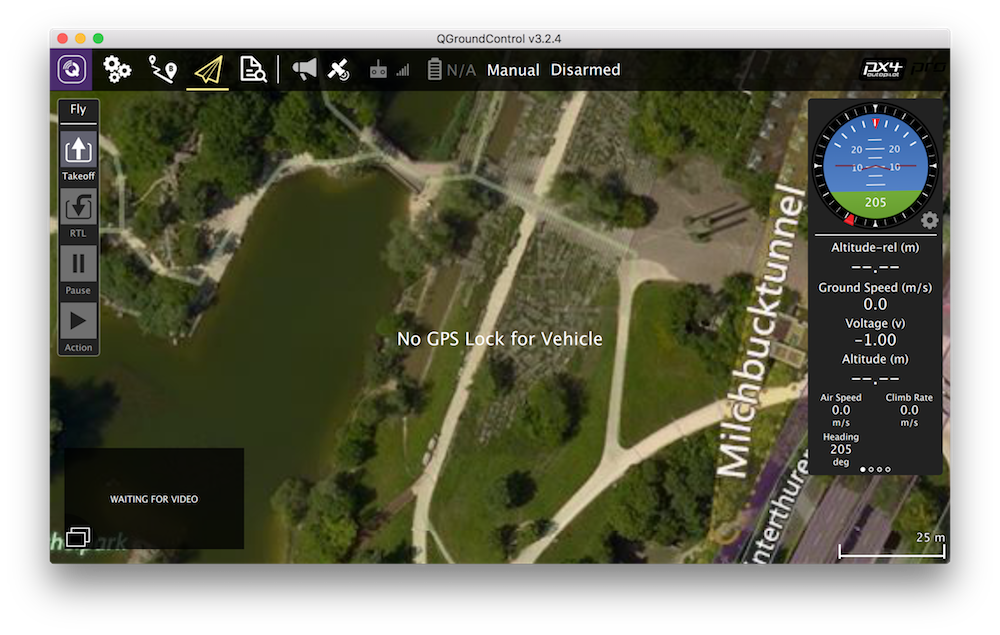
You can monitor, control, calibrate and configure the flight controller of the quadcopter using QGroundControl via Wi-Fi.
This requires [connecting to Wi-Fi](wifi.md) of the `CLEVER-xxxx` network.
After that, in the Clever launch-file `/home/pi/catkin_ws/src/clever/clever/launch/clever.launch`, choose one of the preconfigured bridge modes.
After editing the launch-file, restart the clever service:
```(bash)
sudo systemctl restart clever
```
TCP bridge
---
Change parameter `gcs_bridge` in the launch file:
```xml
```
Then in the QGroundControl program, choose Application Settings > Comm Links > Add. Create a connection with the following settings:
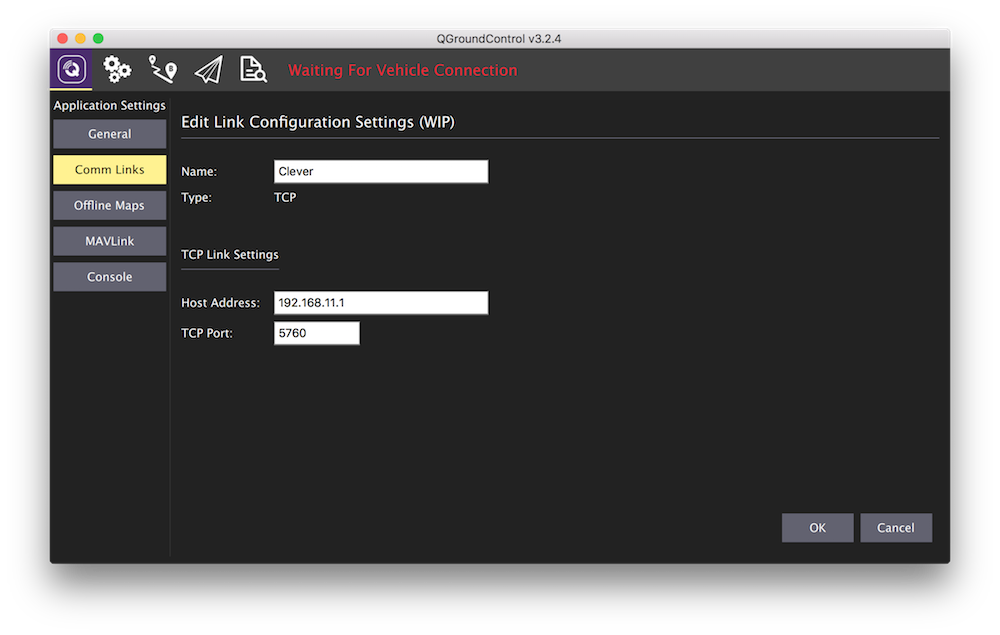
Then choose "Clever" from the list of connections, and click "Connect".
UDP bridge (with automated connection)
---
Change parameter `gcs_bridge` in the launch file:
```xml
```
After opening the QGroundControl application, the connection should be established automatically.
UDP bridge (without automated connection)
---
Change parameter `gcs_bridge` in the launch file:
```xml
```
Then in the QGroundControl program, choose Application Settings > Comm Links > Add. Create a connection with the following settings:
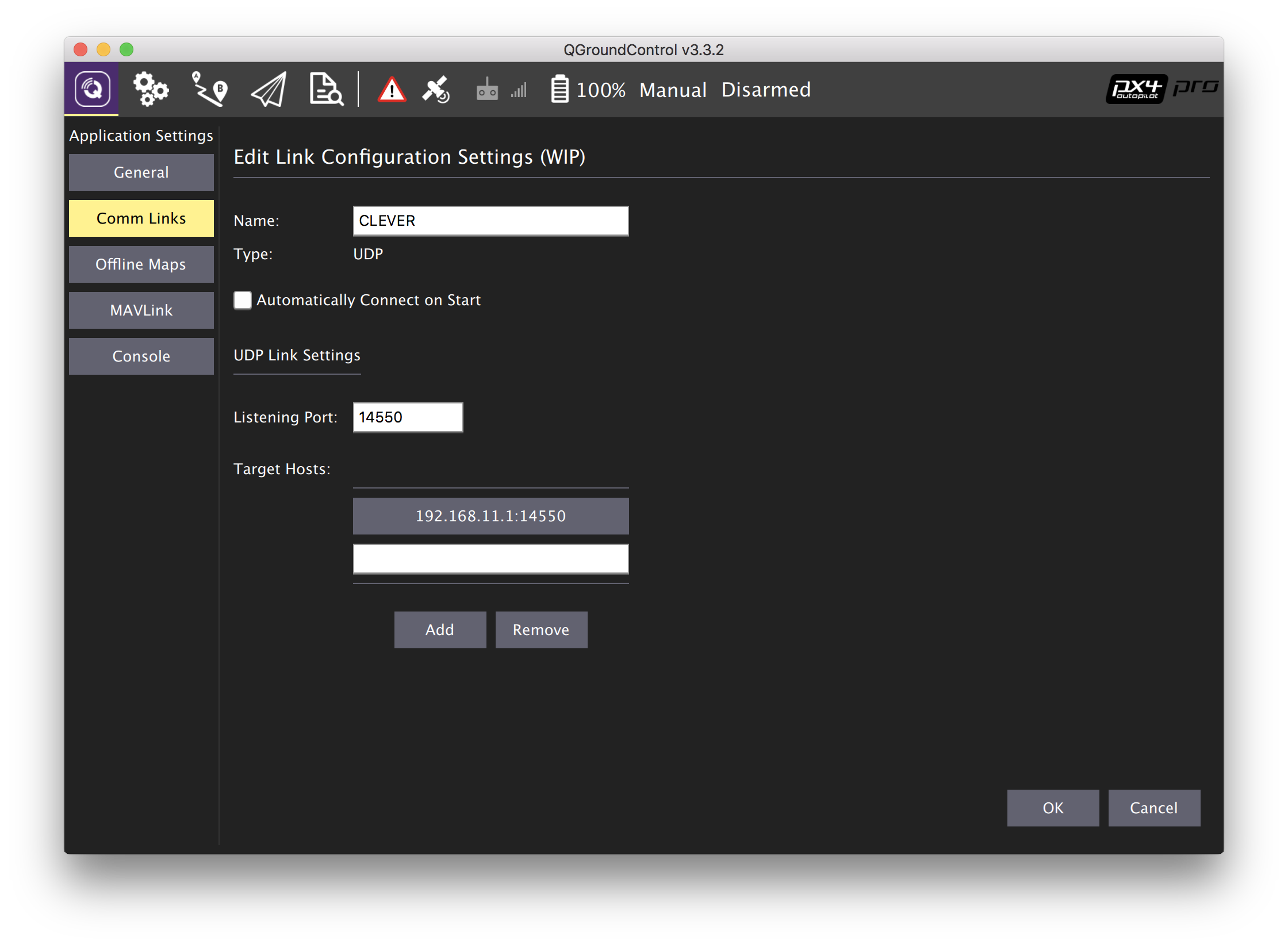
Then choose "CLEVER" from the list of connections, and click "Connect".
UDP broadcast bridge
---
> **Hint** The feature of the UDP broadcast bridge is the ability to view drone telemetry simultaneously from multiple devices (e.g., a phone and a PC). It is also well suited for devices networking using a router.
Change parameter `gcs_bridge` in the launch file:
```xml
```
After opening the QGroundControl application, the connection should be established automatically.