# Camera setup
> **Note** The following applies to [image version](image.md) **0.20** and up. See [previous version of the article](https://github.com/CopterExpress/clover/blob/v0.19/docs/en/camera_frame.md) for older images.
Computer vision modules (like [ArUco markers](aruco.md) and [Optical Flow](optical_flow.md)) require adjusting the camera focus and set up camera position and orientation relative to the drone body. Optional camera calibration can improve their quality of performance.
## Focusing the camera lens {#focus}
In order to focus the camera lens, do the following:
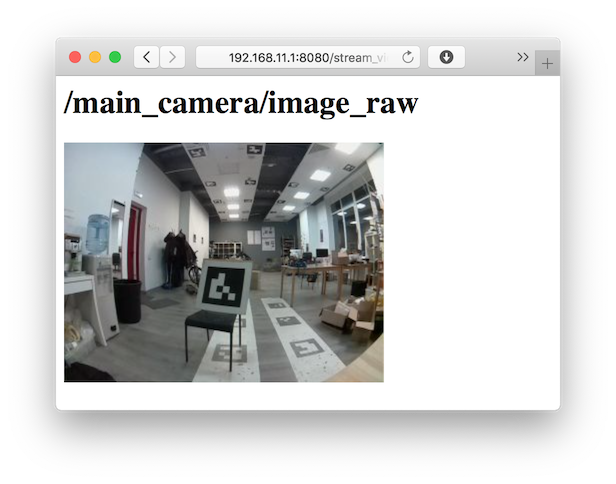
 1. Open the live camera stream in your browser using [web_video_server](web_video_server.md).
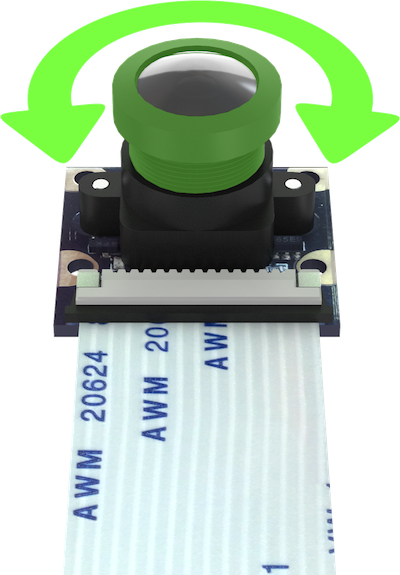
2. Rotate the lens to adjust the image. Make sure the objects that are 2-3 m from the camera are in focus.
|Unfocused image|Focused image|
|-|-|
|
1. Open the live camera stream in your browser using [web_video_server](web_video_server.md).
2. Rotate the lens to adjust the image. Make sure the objects that are 2-3 m from the camera are in focus.
|Unfocused image|Focused image|
|-|-|
| |
| |
## Setting the camera position {#frame}
Position and orientation of the main camera is [set in the](cli.md#editing) `~/catkin_ws/src/clover/clover/launch/main_camera.launch` file:
```xml
```
To set the orientation, define:
* direction the camera lens points `direction_z`: `down` or `up`;
* direction the camera cable points `direction_y`: `backward` or `forward`.
### Examples
### Camera faces downward, cable goes backward
```xml
```
|
## Setting the camera position {#frame}
Position and orientation of the main camera is [set in the](cli.md#editing) `~/catkin_ws/src/clover/clover/launch/main_camera.launch` file:
```xml
```
To set the orientation, define:
* direction the camera lens points `direction_z`: `down` or `up`;
* direction the camera cable points `direction_y`: `backward` or `forward`.
### Examples
### Camera faces downward, cable goes backward
```xml
```

 ### Camera faces downward, cable goes forward
```xml
```
### Camera faces downward, cable goes forward
```xml
```

 ### Camera faces upward, cable goes backward
```xml
```
### Camera faces upward, cable goes backward
```xml
```

 ### Camera faces upward, cable goes forward
```xml
```
### Camera faces upward, cable goes forward
```xml
```

 > **Hint** The [`selfcheck.py` utility](selfcheck.md) will describe your current camera setup in a human-readable fashion. Be sure to check whether this description corresponds to your actual camera position.
### Custom camera position
It's possible to set arbitrary camera position and orientation. In order to do that uncomment node, marked as `Template for custom camera orientation`:
```xml
```
This line describes how the camera is positioned relative to the drone body. Technically, it creates a static transform between the `base_link` frame ( which [corresponds to the flight controller housing](frames.md)) and the camera (`main_camera_optical`) in the following format:
```txt
shift_x shift_y shift_z yaw_angle pitch_angle roll_angle
```
Camera frame (that is, [frame of reference](frames.md)) is aligned as follows:
* **x** points to the right side of the image;
* **y** points to the bottom of the image;
* **z** points away from the camera matrix plane.
Shifts are set in meters, angles are in radians. You can check the transform for correctness using [rviz](rviz.md).
## Calibration {#calibration}
To improve the quality of computer vision related algorithms it's recommended to perform camera calibration, which is described in the [appropriate article](camera_calibration.md).
> **Hint** The [`selfcheck.py` utility](selfcheck.md) will describe your current camera setup in a human-readable fashion. Be sure to check whether this description corresponds to your actual camera position.
### Custom camera position
It's possible to set arbitrary camera position and orientation. In order to do that uncomment node, marked as `Template for custom camera orientation`:
```xml
```
This line describes how the camera is positioned relative to the drone body. Technically, it creates a static transform between the `base_link` frame ( which [corresponds to the flight controller housing](frames.md)) and the camera (`main_camera_optical`) in the following format:
```txt
shift_x shift_y shift_z yaw_angle pitch_angle roll_angle
```
Camera frame (that is, [frame of reference](frames.md)) is aligned as follows:
* **x** points to the right side of the image;
* **y** points to the bottom of the image;
* **z** points away from the camera matrix plane.
Shifts are set in meters, angles are in radians. You can check the transform for correctness using [rviz](rviz.md).
## Calibration {#calibration}
To improve the quality of computer vision related algorithms it's recommended to perform camera calibration, which is described in the [appropriate article](camera_calibration.md).