# COEX Clover Drone Kit
This repository contains documentation, software platform source code and RPi image builder for COEX Clover drone kit.
 Clover is a [PX4](https://px4.io)- and [ROS](https://www.ros.org)-powered educational programmable drone kit consisting of an unassembled quadcopter, open source software and documentation. The kit includes Pixracer-compatible autopilot, Raspberry Pi 4 as companion computer, a camera for computer vision navigation as well as additional sensors and peripheral devices.
The main documentation is available at [https://clover.coex.tech](https://clover.coex.tech/). Official website: coex.tech/clover.
## Autonomous flights video
[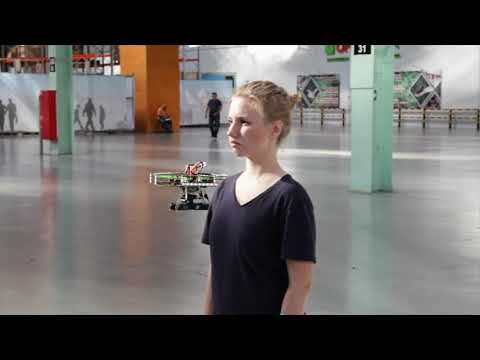](https://youtu.be/u3omgsYC4Fk)
Clover drone is used on a wide range of educational events, including [Copter Hack](https://www.youtube.com/watch?v=xgXheg3TTs4), WorldSkills Drone Operation competition, [Autonomous Vehicles Track of NTI Olympics 2016–2020](https://www.youtube.com/watch?v=E1_ehvJRKxg), Quadro Hack 2019 (National University of Science and Technology MISiS), Russian Robot Olympiad (autonomous flights), and others.
## Features
### Prebuilt RPi image
...
### Common robotics software
Prebuilt image for Raspberry Pi includes:
|Software|Description|
|-|-|
|Raspbian Buster||
|[ROS Melodic](http://wiki.ros.org/melodic)|Common robotics framework|
|[OpenCV](https://opencv.org)|Computer vision library|
|[`mavros`](http://wiki.ros.org/mavros)|ROS package for communication with the flight controller|
|Configured networking||
|Periphery drivers for ROS ([GPIO](https://clover.coex.tech/en/gpio.html), [LED strip](https://clover.coex.tech/en/leds.html), etc)||
|`clover`|package for autonomous drone control|
|`aruco_pose`|Package for marker-assisted navigation|
### QGroundControl Wi-Fi bridge
...
### Easy autonomous flights programming
By using `clover` package, taking off, navigating and landing is just:
```python
navigate(x=0, y=0, z=1, frame_id='body', auto_arm=True) # takeoff and hover 1 m above the ground
```
```python
navigate(x=1, y=0, z=0, frame_id='body') # fly forward 1 m
```
```
land()
```
See [programming documentation](https://clover.coex.tech) for further information.
### Optical flow positioning
Clover is a [PX4](https://px4.io)- and [ROS](https://www.ros.org)-powered educational programmable drone kit consisting of an unassembled quadcopter, open source software and documentation. The kit includes Pixracer-compatible autopilot, Raspberry Pi 4 as companion computer, a camera for computer vision navigation as well as additional sensors and peripheral devices.
The main documentation is available at [https://clover.coex.tech](https://clover.coex.tech/). Official website: coex.tech/clover.
## Autonomous flights video
[](https://youtu.be/u3omgsYC4Fk)
Clover drone is used on a wide range of educational events, including [Copter Hack](https://www.youtube.com/watch?v=xgXheg3TTs4), WorldSkills Drone Operation competition, [Autonomous Vehicles Track of NTI Olympics 2016–2020](https://www.youtube.com/watch?v=E1_ehvJRKxg), Quadro Hack 2019 (National University of Science and Technology MISiS), Russian Robot Olympiad (autonomous flights), and others.
## Features
### Prebuilt RPi image
...
### Common robotics software
Prebuilt image for Raspberry Pi includes:
|Software|Description|
|-|-|
|Raspbian Buster||
|[ROS Melodic](http://wiki.ros.org/melodic)|Common robotics framework|
|[OpenCV](https://opencv.org)|Computer vision library|
|[`mavros`](http://wiki.ros.org/mavros)|ROS package for communication with the flight controller|
|Configured networking||
|Periphery drivers for ROS ([GPIO](https://clover.coex.tech/en/gpio.html), [LED strip](https://clover.coex.tech/en/leds.html), etc)||
|`clover`|package for autonomous drone control|
|`aruco_pose`|Package for marker-assisted navigation|
### QGroundControl Wi-Fi bridge
...
### Easy autonomous flights programming
By using `clover` package, taking off, navigating and landing is just:
```python
navigate(x=0, y=0, z=1, frame_id='body', auto_arm=True) # takeoff and hover 1 m above the ground
```
```python
navigate(x=1, y=0, z=0, frame_id='body') # fly forward 1 m
```
```
land()
```
See [programming documentation](https://clover.coex.tech) for further information.
### Optical flow positioning
 RPi based optical flow....
See [details](https://clover.coex.tech/en/optical_flow.html) in the documentation.
### ArUco markers recognizing
RPi based optical flow....
See [details](https://clover.coex.tech/en/optical_flow.html) in the documentation.
### ArUco markers recognizing
 ...
See [details](https://clover.coex.tech/en/aruco.html) in the documentation.
### Easy working with peripheral devices
Preinstalled package for the [LED strip](https://clover.coex.tech/en/leds.html) allows high-level control (such as rainbow effect or color fade) as well as individual LED low-level control:
```python
set_effect(r=0, g=100, b=0) # fill strip with green color
```
```python
set_effect(effect='fade', r=0, g=0, b=255) # fade to blue color
```
```python
set_effect(effect='rainbow') # show rainbow
```
Preinstalled [VL53L1X rangefinder driver](https://clover.coex.tech/en/laser.html) passes data to the flight controller automatically and allows the user to get its data:
```python
data = rospy.wait_for_message('rangefinder/range', Range) # get data from the rangefinder
```
Preinstalled fast Python [GPIO library](https://clover.coex.tech/en/gpio.html).
```python
pi.write(11, 1) # set signal of pin 11 to high
```
```python
level = pi.read(12) # read the state of pin 12
```
### Simulator
...
See [details](https://clover.coex.tech/en/aruco.html) in the documentation.
### Easy working with peripheral devices
Preinstalled package for the [LED strip](https://clover.coex.tech/en/leds.html) allows high-level control (such as rainbow effect or color fade) as well as individual LED low-level control:
```python
set_effect(r=0, g=100, b=0) # fill strip with green color
```
```python
set_effect(effect='fade', r=0, g=0, b=255) # fade to blue color
```
```python
set_effect(effect='rainbow') # show rainbow
```
Preinstalled [VL53L1X rangefinder driver](https://clover.coex.tech/en/laser.html) passes data to the flight controller automatically and allows the user to get its data:
```python
data = rospy.wait_for_message('rangefinder/range', Range) # get data from the rangefinder
```
Preinstalled fast Python [GPIO library](https://clover.coex.tech/en/gpio.html).
```python
pi.write(11, 1) # set signal of pin 11 to high
```
```python
level = pi.read(12) # read the state of pin 12
```
### Simulator
 Clover repository includes three simulation-related repository for Gazebo-based simulation.
Screenshot...
See details in the [documentation](https://clover.coex.tech/en/simulation.html). The simulation environment also available as a virtual machine image.
### Remote control apps
### Community
Clover repository includes three simulation-related repository for Gazebo-based simulation.
Screenshot...
See details in the [documentation](https://clover.coex.tech/en/simulation.html). The simulation environment also available as a virtual machine image.
### Remote control apps
### Community
 Clover is widely used ...
[Telegram chat](tg://resolve?domain=COEXHelpdesk)...
### Free and open source
The Clover software bundle is free, open source, and compatible with any PX4/ROS-based drone.
## Manual installation
For manual package installation and running see [`clover` package documentation](clover/README.md).
## PX4 Dev Summit 2019 talk
[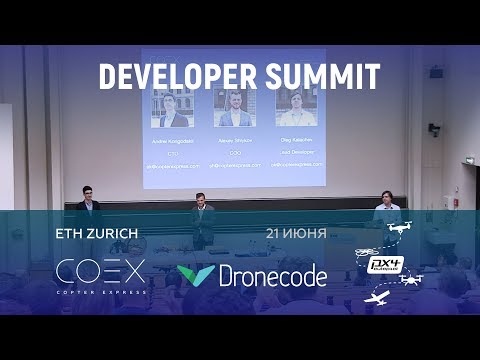](http://www.youtube.com/watch?v=CTG9E9PbJQ8)
## Other resources
* Official documentation: [https://clover.coex.tech](https://clover.coex.tech).
* ROS Wiki page: [https://wiki.ros.org/Robots/clover](https://wiki.ros.org/Robots/clover).
* ROS Robots page: [https://robots.ros.org/clover](https://robots.ros.org/clover).
## License
While the Clover platform source code is available under the MIT License, note, that the [documentation](docs/) is licensed under the Creative Commons Attribution-NonCommercial-ShareAlike 4.0 International License.
Clover is widely used ...
[Telegram chat](tg://resolve?domain=COEXHelpdesk)...
### Free and open source
The Clover software bundle is free, open source, and compatible with any PX4/ROS-based drone.
## Manual installation
For manual package installation and running see [`clover` package documentation](clover/README.md).
## PX4 Dev Summit 2019 talk
[](http://www.youtube.com/watch?v=CTG9E9PbJQ8)
## Other resources
* Official documentation: [https://clover.coex.tech](https://clover.coex.tech).
* ROS Wiki page: [https://wiki.ros.org/Robots/clover](https://wiki.ros.org/Robots/clover).
* ROS Robots page: [https://robots.ros.org/clover](https://robots.ros.org/clover).
## License
While the Clover platform source code is available under the MIT License, note, that the [documentation](docs/) is licensed under the Creative Commons Attribution-NonCommercial-ShareAlike 4.0 International License.


